Time tracking
Accurate time tracking, wherever work happens.

More than a time clock
- GPS clock-in
- Shift planning
- Receipt scanner
- Equipment
- Photos
- Absence
The product
One record. No cleanup work after.
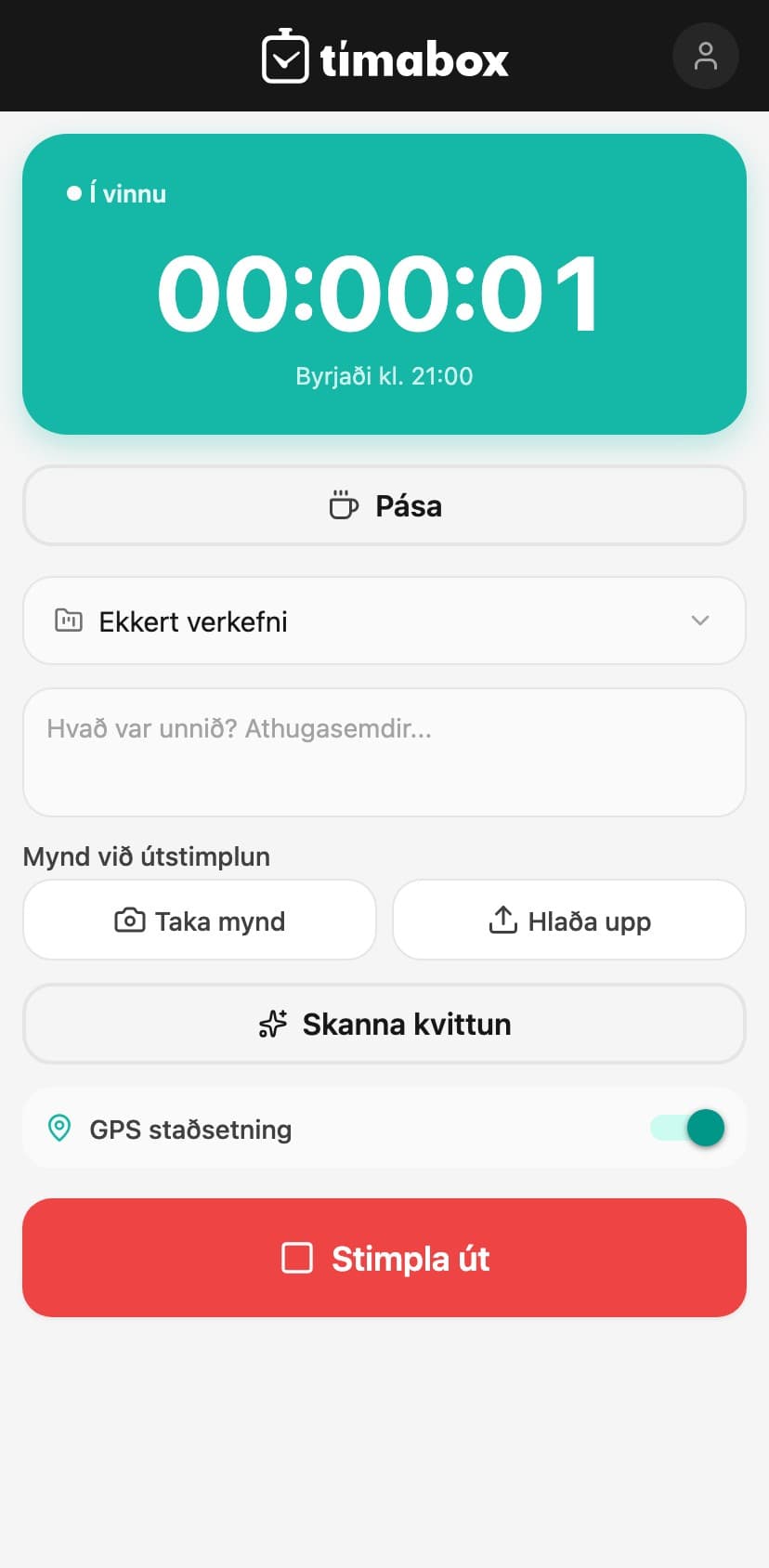
Staff clock in and out from the app or browser, with GPS location, photos, and notes. AI reads receipts, writes weekly summaries, and flags anything that looks off.
Tímabox brings together what a business needs day to day: logging, oversight, approvals, exports, and integrations with other systems. You don't need to piece together several tools to get the full picture.
- Clock-in
- GPS location, geofenced boundaries, and PIN-based kiosk clock-in
- AI
- Receipt scanning, voice input, and automatic weekly summaries
- Overview
- Shift planning, projects, absences, and equipment in one place
- Devices
- Web, iOS, and Android — works offline too
- Integrations
- Payday, an open API, and real-time webhooks
- Getting started
- 14-day free trial, no card required, no lock-in
How it works
From clock-in to report — automatically
Tímabox tracks the whole loop: clocking in, review, and reporting.
- 01
Staff clock in
From the app or browser, with GPS location and a photo if needed. Works offline too, at sites with poor signal.
- 02
AI keeps watch
Issues like a forgotten clock-out or an unusually long shift are flagged automatically, and a weekly summary is written for managers.
- 03
Managers approve and export
Absence requests are approved, timesheets reviewed, and the data flows on to Payday or out as a report.
The platform
Everything a shift lead needs — in one system
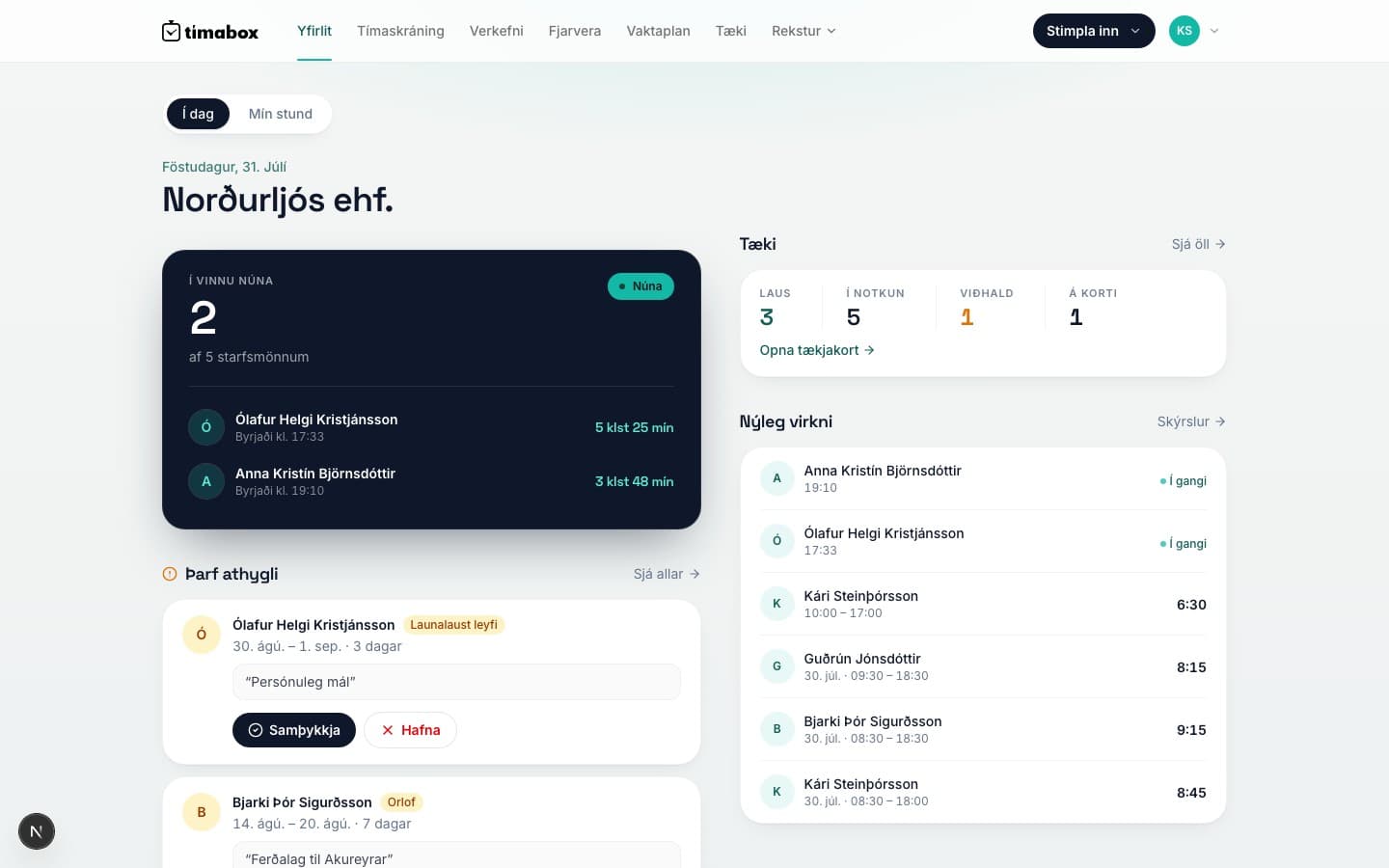
Tímabox brings clock-ins, projects, shift planning, and AI into one workspace already in daily use at Icelandic companies.
Accurate logging, wherever work happens
Clock-in and location
Staff clock in and out from the app or browser, with GPS location and photos. Geofenced boundaries stop clock-ins outside the work site.
- GPS location and geofenced clock-in
- Photos at clock-in and clock-out to document progress
- PIN-based kiosk clock-in for shared devices
See where the time actually goes
Projects and customers
Create projects, link them to customers, and track time by job. Color codes and categories keep the overview clear.
- Project management with color codes and time analysis
- A customer registry linked to projects, with company ID and contacts
- A better basis for invoicing
A clear overview for the team
Shift planning and absence
Build a shift plan staff can see in the app or on the web. Absence requests are approved with a simple flow, with an automatic vacation balance.
- Shift plans visible in the app and on the web
- Leave requests, approvals, and an automatic vacation balance
- Vacation, sick leave, and child sick days in one place
Errors caught, summaries written
AI and integrations
The receipt scanner reads the amount, vendor, and VAT automatically. AI writes weekly summaries and flags anomalies — and the Payday integration removes manual transfers.
- Receipt scanner reads amount, vendor, items, and VAT
- Automatic weekly summaries and anomaly alerts
- Payday integration, an open API, and real-time webhooks
Implementation
Simple setup. Live the same day.
Tímabox can be set up without a developer. Run the implementation yourselves, or have Novamedia handle it with you.
- 01
Register the company
Name and company ID. You start on a 14-day free trial and no payment card is required.
- 02
Add your staff
Invite staff to download the app or use the browser. Each person gets their own login, or a PIN for kiosk clock-in.
- 03
Set up shifts and projects
Define work sites for GPS boundaries, create projects, and link customers if needed.
- 04
Connect Payday
Time data, invoices, and staff details flow automatically between the systems, without manual transfers.
We can set the system up with you
Novamedia built Tímabox and runs the platform. We help with setup, staff import, and connecting Payday.
Get implementation helpSupport and operations
Help from the team that knows the platform best
Tímabox is built and run by Novamedia, so your company gets support directly from the team responsible for the product — from the first setup through ongoing operations.
Hands-on implementation
We help with setup, staff import, and configuring work sites — with you or for you.
Ongoing support
We help with new projects, integrations, and everyday questions. Reach us at timabox@timabox.is.
Privacy by design
Data is encrypted, hosted on European servers, and access is controlled by role.
Pricing
Simple pricing that scales with your team.
Pricing depends on headcount — every plan includes the same features, regardless of size. These are example prices by team size, matching timabox.is.
1–4 employees
Base price — for smaller teams
ISK 4,900
per month
- Every feature included — no limits by headcount
- GPS clock-in, shift planning, and absence tracking
- AI: receipt scanner and weekly summaries
- iOS and Android apps, kiosk clock-in, and Payday integration
10 employees
Example: ISK 4,900 + 6 × ISK 390
ISK 7,240
per month
- Every feature included — no limits by headcount
- GPS clock-in, shift planning, and absence tracking
- AI: receipt scanner and weekly summaries
- iOS and Android apps, kiosk clock-in, and Payday integration
25 employees
Example: ISK 4,900 + 21 × ISK 390
ISK 13,090
per month
- Every feature included — no limits by headcount
- GPS clock-in, shift planning, and absence tracking
- AI: receipt scanner and weekly summaries
- iOS and Android apps, kiosk clock-in, and Payday integration
All prices exclude VAT. No lock-in — cancel or change your headcount anytime.
Calculate your price on timabox.isApps
Clock in — wherever you are

Questions
Frequently asked questions about Tímabox
What does Tímabox cost?
Tímabox starts at ISK 4,900 per month for up to four employees, plus ISK 390 per additional employee. No lock-in, no hidden fees, and a 14-day free trial.
Do I need to download an app to use Tímabox?
No. Tímabox works directly in a browser on a computer, tablet, or phone. There's also a real app for iOS and Android, using the same login as the web.
Can I cancel anytime?
Yes. Tímabox has no lock-in — you can cancel or change your headcount anytime, with no notice period.
Is Tímabox compliant with data protection law?
Yes. Tímabox is built with GDPR in mind — data is encrypted, hosted on European servers, and access is controlled by role.
Can Tímabox run on a shared device, like in a canteen or workshop?
Yes. With kiosk clock-in, you can set up a tablet or computer at the workplace where staff clock in and out with a 4-digit PIN, without each person logging in or downloading an app.
Does Tímabox work offline?
Yes. Staff can clock in and out without an internet connection, for example on a job site or at a customer's — the data syncs as soon as the connection is back.
Try Tímabox — or let us manage the implementation
Try the platform for 14 days without a payment card. If you would like Novamedia to set up your staff, work sites, and Payday integration, we will manage the process with your team.